How to make an online product catalog for your small business (free)
Plan a catalog customers can flip through on their phones: what to include on each page, how they order without a checkout, and how to share it by link, QR code or embed.
Flipbook Maker TeamOct 11, 2026 5 min read
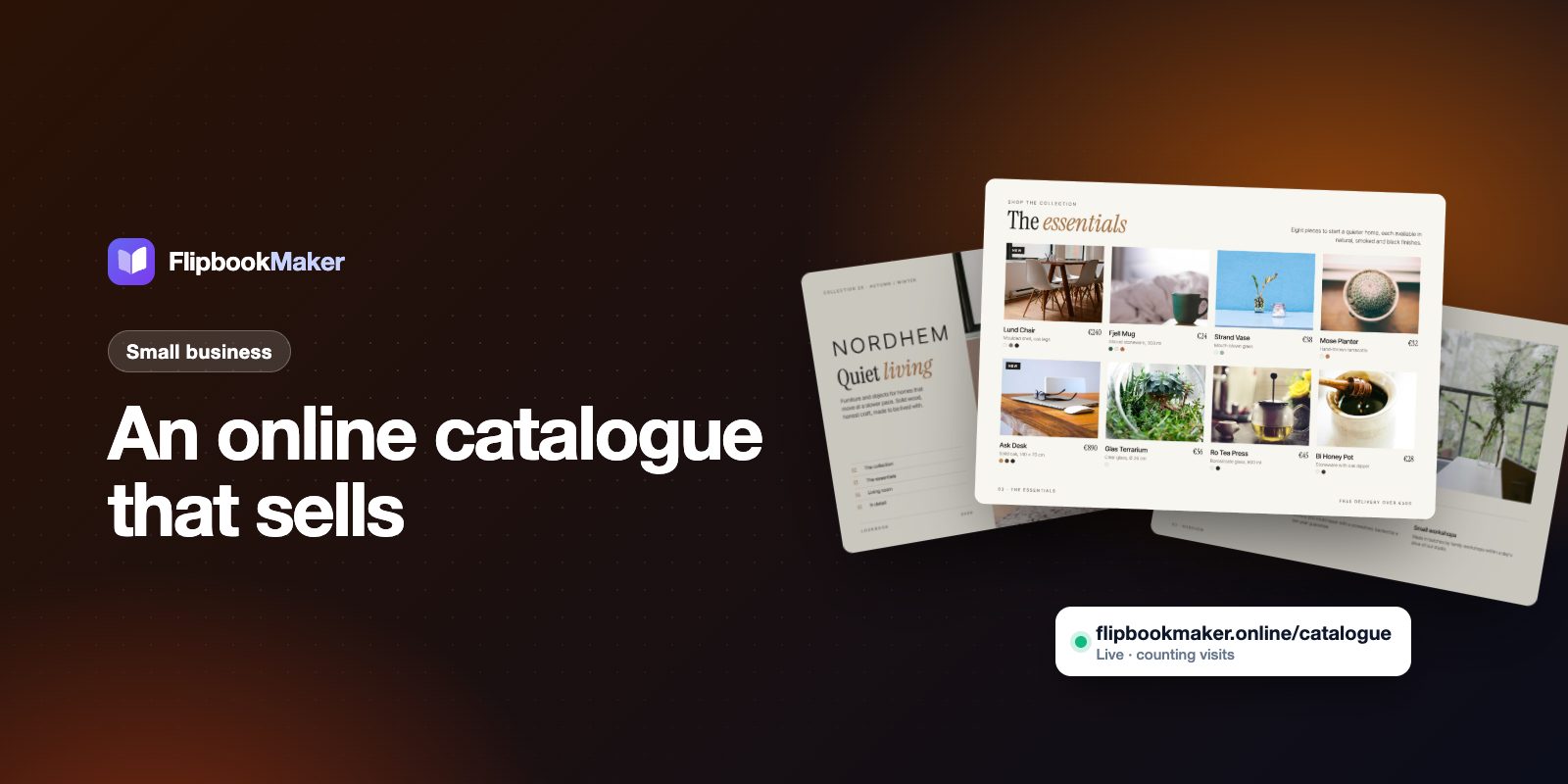
To make an online product catalog for a small business, design your catalog as a PDF, upload it to a flipbook maker, and publish it at its own link. Customers then flip through it on their phones, and you share that one link (or its QR code) on WhatsApp, Instagram, email and printed flyers. With Flipbook Maker this is free, with no watermark on your pages.
A good catalog sells. But a 40-page PDF attached to an email often never gets opened. Turn it into an online flipbook catalog and customers can browse it anywhere and share it with a tap. This guide covers how to plan the catalog itself, not just how to upload it.
Key takeaways
- An online product catalog is your product list (photos, names, prices, codes) published as a web page or flipbook instead of a printed booklet.
- For most small businesses, 12–24 pages is enough: cover, how to order, then one category per page or spread.
- Give every product a code and a price, so customers can order by message without asking questions.
- Flipbook pages are images: links in your PDF aren't clickable, so print your web address, phone number or a QR code on the pages.
- Publish it once and you get a link, a QR code and an embed code for your website.
Who is an online catalog for?
- Shops and wholesalers sending product lists to buyers
- Furniture, fashion and home brands with seasonal collections
- Manufacturers and distributors with price lists
- Makers selling on Instagram or WhatsApp without a full online store
If you already have a store with a checkout, a flipbook catalog still helps as a "lookbook" you can send in one message or hand out as a QR code at markets and trade shows.
What should a small-business catalog include?
Plan the pages before you design anything. A simple structure that works for most small shops:
| Page | Content |
|---|---|
| 1 | Cover: business name, collection or season, one strong photo |
| 2 | About you + how to order (message, email, phone, website, minimum order, delivery) |
| 3–N | One category per page or spread: product photos, names, codes, prices, sizes or colors |
| Second to last | Price list or order form summary (handy for wholesale buyers) |
| Last | Contact details, QR code to your website or WhatsApp, social handles |
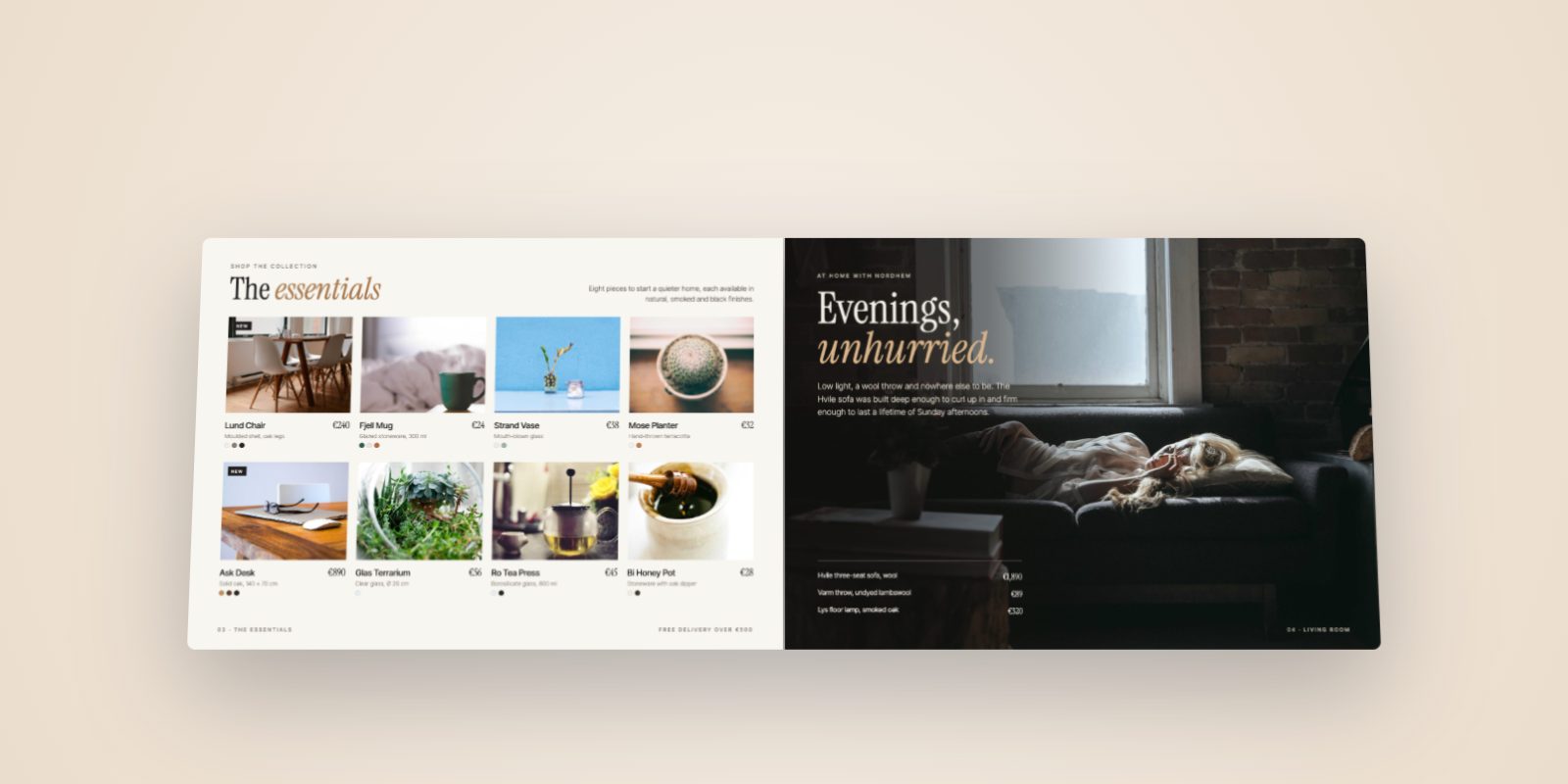
On each product, show: a clear photo, the name, a short code (e.g. NH-014), the price, and the options (size, color, material). Three to eight products per page stays readable on a phone.
Lookbook, catalog or price list: which do you need?
| Type | Best for | Typical length |
|---|---|---|
| Lookbook | Showing a new collection with big photos | 8–16 pages |
| Product catalog | Your full range, organized by category | 12–40 pages |
| Price list / line sheet | Wholesale buyers who want codes, prices and minimums | 2–8 pages |
Many small businesses make a lookbook for customers and a short line sheet for stores. Both can be separate flipbooks, each with its own link.
How to make your online catalog (step by step)
- Design or export your catalog as a PDF. Canva, Word, InDesign or Google Slides all work. If you design in Canva, see how to turn a Canva design into a flipbook. Flipbook Maker also accepts Word files and plain images (one image per page).
- Upload it to Flipbook Maker. The conversion runs in your browser, so nothing is uploaded until you publish.
- Check Page options: pick a page size (Letter, A4, square and more), and set Quality to High if your catalog has small print such as codes and sizes.
- Publish at your own link, for example
flipbookmaker.online/autumn-collection, with a free account. Add your logo, website, email and phone in the book's details so they show next to the book. - Share it in WhatsApp broadcasts, email newsletters, your Instagram bio, and on printed flyers through the QR code. To show it on your own site, use the embed code (how to embed a flipbook).
The general walkthrough with screenshots is in how to turn a PDF into a flipbook for free.
How do customers order from a flipbook catalog?
A flipbook has no shopping cart, so make ordering simple outside it:
- By message: "Send us the product codes on WhatsApp or by email." Codes avoid back-and-forth about which item they mean.
- By phone or in store: print your number and opening hours on page 2 and the last page.
- On your website: print a short web address on each category page (e.g.
yourshop.com/chairs) or a QR code that opens it.
What makes a catalog convert?
- A strong cover with the collection name and season.
- Clear prices and product codes so people can order without asking.
- Contact details on every spread, or add them once when you publish so they appear with the book.
- A short book. 12–24 focused pages beat 80 pages nobody finishes.
- Seasonal timing. Publish a holiday edition early; our holiday gift guide template has a ready page plan.
What an online flipbook catalog can't do
- No clickable links or searchable text inside the pages (each page is an image).
- No checkout, stock levels or live prices. If prices change, publish an updated book; the PDF in a published book can't be swapped.
- Not shown in Google search on its own (book pages aren't indexed). Share the link directly, and keep product pages on your own site for search.
Keep track of interest
Each published flipbook shows views per day (today, last 7 days and total, with a 7/30/90-day chart), so you can see when a campaign or message brought people in.
FAQ
Is an online product catalog free to make?
Yes. Flipbook Maker is free: upload your PDF, publish with a free account, and share the link and QR code. There's no watermark on your pages; a small "Made with Flipbook Maker" badge shows next to the book.
How many pages can my catalog have?
Up to 300 pages per book, and a published PDF can be up to 100 MB. For phones, shorter catalogs (12–24 pages) are easier to browse.
Can I update my catalog later?
You can change the title, link, visibility and details. To change pages or prices, publish an updated book and share the new link.
Can customers download or print the catalog?
The flipbook reader has no download or print button. If customers need a printable copy, send them your PDF as well.
Do I need a website to have an online catalog?
No. Your flipbook gets its own link, such as flipbookmaker.online/autumn-collection, which you can share anywhere. If you do have a website, you can also embed the catalog on one of its pages.
Look at our Nordhem furniture example for inspiration, then create your catalog →