For shops, wholesalers and makers
Turn your PDF into an online product catalog that sells
Buyers browse on their phones. Give them a catalog that flips like print, opens from one link, and shows your contact details — without building a website.
Free · No watermark · Nothing to install
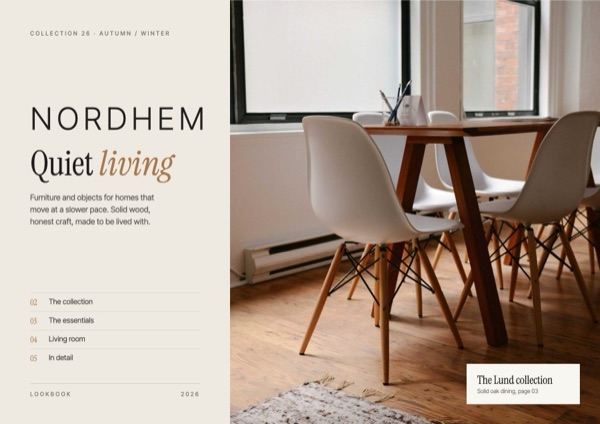 Nordhem · Product catalog — flip through it →
Why use a flipbook for product catalogs?
No heavy attachments
Send one link instead of a 40 MB PDF that bounces off inboxes or never gets opened.
Looks like your print catalog
Two-page spreads on desktop and tablets, one page at a time on phones, with your layout untouched.
Easy to reach you
Add your logo, phone, email and website when you publish so buyers can contact you straight from the catalog.
See campaign results
Daily views tell you when an email blast or WhatsApp broadcast actually brought people in.
How to make it in 3 steps
- 1
Export the catalog as a PDF
One product or category per page reads best. Include prices and item codes so people can order without asking.
- 2
Upload and check the spreads
Your catalog appears as a flipbook instantly. Flip through it like a customer would.
- 3
Publish at your own link
Use a clear address such as /fall-catalog-2026, then share it in emails, social posts and on printed flyers.
Tips that make a difference
- A focused 12–24 page catalog gets read further than an 80-page one.
- Open with a strong cover and a 'best sellers' spread.
- Publish a new flipbook per season and keep last season's for returning buyers.
- Put the link in your email signature and WhatsApp Business profile.
Frequently asked questions
How many pages can a catalog have?
Up to 300 pages per flipbook, which covers almost any product catalog.
Can I add my logo and contact details?
Yes. When you publish you can add your logo, brand color, website, phone and email.
Will my catalog look the same as the PDF?
Yes. Pages are shown exactly as designed — nothing is re-flowed or re-styled.
Make your product catalog flipbook now
Upload a PDF, photos or a Word file. It’s free, with no watermark and nothing to install.
Upload your file