Best free flipbook maker? 7 free plans compared (October 2026)
Page caps, book limits, ads, watermarks and branding: the free plans of Heyzine, FlipHTML5, Flipsnack, Issuu, AnyFlip, Publuu and Flipbook Maker side by side, checked on each vendor's pricing page on October 21, 2026.
Flipbook Maker TeamOct 21, 2026 7 min read
The best free flipbook maker depends on what you need from the free plan: how many books you can keep, how many pages each one can have, and whether readers see ads or someone else's watermark. As of October 21, 2026, Heyzine and Flipbook Maker are the two free options with no ads and no watermark on the pages. FlipHTML5 and AnyFlip add a watermark, Issuu shows third-party ads, and Flipsnack caps free books at 15 pages. Publuu only offers a 14-day trial. The full table is below, and we've listed our own limits as plainly as everyone else's.
Disclosure: Flipbook Maker is our product. Every other vendor's details below come from their own pricing page or terms, checked on October 21, 2026. Plans change, so check the vendor's page before you decide.
Key takeaways
- No ads and no page watermark on a free plan: Heyzine (5 flipbooks) and Flipbook Maker (no cap on the number of books).
- Strict page caps: Issuu Basic allows 10 pages per upload, and Flipsnack Free allows 15 pages per flipbook.
- Watermarks or ads: FlipHTML5 Free has ads and a FlipHTML5 watermark. AnyFlip's free plan watermarks embeds. Issuu Basic shows third-party ads.
- Trial only: Publuu has a 14-day free trial, then paid plans from $7/month.
- What free plans usually lack: clickable links, custom logos, detailed stats and downloads. Flipbook Maker lacks clickable links and text search on every book, because pages are stored as images.
Free flipbook makers compared (checked October 21, 2026)
| Tool | Free books | Pages per book | File size | Ads | Watermark / branding | Cheapest paid plan |
|---|---|---|---|---|---|---|
| Flipbook Maker | No cap (with a free account) | 300 | 100 MB PDF | No | No watermark on pages; small "Made with Flipbook Maker" badge next to the book | None. There are no paid plans |
| Heyzine | 5 flipbooks | Unlimited | 1 GB storage | No | "Watermark free" viewer | Standard $5/mo, billed yearly ($59) |
| FlipHTML5 | 5 new flipbooks per day | 500 | 100 MB | Yes | FlipHTML5 watermark and logo | Pro $12/mo, billed yearly ($149) |
| Flipsnack | 5 flipbooks | 15 | — | — | Flipsnack branding on links and embeds; watermarked downloads | Pro $38/mo, billed yearly |
| Issuu | 5 documents | 10 | 50 MB | Yes (third-party) | "Powered by Issuu" on embeds | Starter $21/mo, billed yearly ($252) |
| AnyFlip | 5 uploads per day | — | 100 GB storage | — | Watermark on embeds | Pro $13.08/mo, billed monthly |
| Publuu | 14-day trial only | — | — | — | — | Basic $7/mo |
"—" means the vendor's pricing page doesn't state it for the free plan. Sources: Heyzine (pricing section and terms), FlipHTML5 pricing, Flipsnack pricing, Issuu pricing, AnyFlip pricing, Publuu prices.
How we compared them
We only looked at what you get without paying, because that's what "free flipbook maker" searches are about. For each tool we opened its own pricing page (or terms of service) on October 21, 2026 and wrote down:
- How many books you can keep on the free plan.
- How many pages each book can have, and the file size limit.
- Ads shown to your readers.
- Watermarks or branding that you can't remove for free.
- The cheapest paid plan, so you know the cost of outgrowing the free one.
We didn't rate page-turn effects or design templates. Those are a matter of taste, and you can judge them in a few minutes with each tool's free plan.
Which free flipbook maker should you pick?
You want many books, no ads and no watermark
Flipbook Maker or Heyzine. Heyzine's free plan keeps 5 flipbooks with unlimited pages and 1 GB of storage. Its developer docs say the oldest are removed once you go past the limit through the API. Flipbook Maker has no cap on the number of published books and allows up to 300 pages each. If you publish a new menu, flyer or catalog every month, the book cap matters more than anything else.
You need clickable links, video or a table of contents
None of the free plans here are strong at this. FlipHTML5 lists link detection as a paid feature, Issuu adds links on paid plans, and Flipbook Maker doesn't support clickable links at all (pages are images). If links inside the pages are essential, look at the paid plans, and compare their prices in the table above.
You have a long document
Skip Issuu Basic (10 pages) and Flipsnack Free (15 pages). FlipHTML5 allows 500 pages on its free plan but adds ads and a watermark. Heyzine has no page limit, and Flipbook Maker allows 300 pages per book.
You only need it for a short campaign
Publuu's 14-day trial gives you every feature for two weeks. Plan to pay or move the book once it ends.
What Flipbook Maker does and doesn't do
Since this is our comparison, here's the plain list.
Does:
- Turns a PDF, images (JPG, PNG, WebP and more) or a Word file into a flipbook with a page-turn effect.
- Converts in your browser. Nothing is uploaded until you publish.
- Publishes at your own link, such as
flipbookmaker.online/your-name, with a free account. You can make a book public or private. - Gives you share buttons, a QR code (PNG download) and an embed code (how to embed it).
- Shows owners daily views (today, last 7 days, total).
Doesn't:
- No clickable links, no text search and no table of contents inside books.
- No download or print button for readers, and no password protection.
- No custom domain, no white label, no lead forms.
- Books don't appear in Google search, and you can't swap the PDF while keeping the same link.
If those limits are fine for you (most menus, flyers, brochures and catalogs that people browse on a phone), it's free with no catch. If not, one of the paid plans above will suit you better.
How to try a free flipbook maker in 2 minutes
- Pick a PDF you already have, such as a menu, brochure or catalog.
- Go to Flipbook Maker and drop it in. Select Create flipbook to see it with page turns. No account is needed for this step.
- If you like it, select Share & get a link and sign in to publish.
- Try the same PDF on one or two other tools from the table and compare them on your phone, since that's where most of your readers will open it.
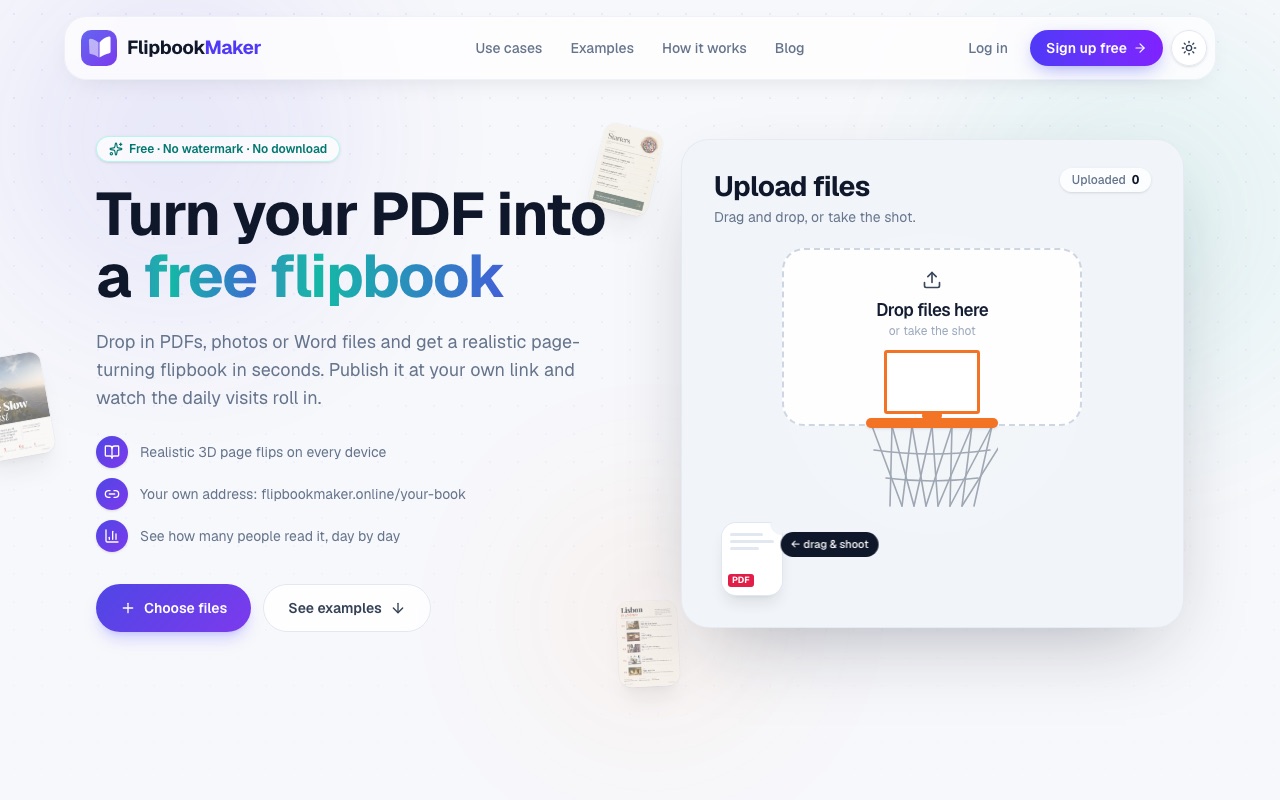
The Flipbook Maker upload area (desktop, October 2026). Drop a file here to build a flipbook without an account.
The full walkthrough is in how to turn a PDF into a flipbook for free. Designing in Canva? Read how to turn a Canva design into a flipbook first.
What does "no watermark" really mean?
A watermark is a logo or text stamped onto your pages or over the viewer. Branding can also be a "Powered by" link, a logo in the toolbar, or a badge next to the book. Vendors use the words differently, so read the details. For example, Flipbook Maker puts nothing on your pages but shows a small badge next to the book. We go into this in what to look for in a free flipbook maker with no watermark.
FAQ
What is the best free flipbook maker?
For a free plan with no ads and no page watermark, Heyzine (up to 5 flipbooks) and Flipbook Maker (no cap on books, up to 300 pages each) were the strongest options on October 21, 2026. If you need clickable links or video, you'll need a paid plan from another tool.
Is FlipHTML5 free?
FlipHTML5 has a free plan that allows 5 new flipbooks per day and up to 500 pages per file. According to its pricing page, the free plan shows ads and a FlipHTML5 watermark, and doesn't allow downloads or link detection.
Is Issuu free?
Issuu's Basic plan is free for 5 documents of up to 10 pages and 50 MB each. Readers see third-party ads; removing them needs the Unlimited plan.
Is Flipsnack free?
Flipsnack's free plan allows 5 flipbooks of up to 15 pages, with Flipsnack branding on links and embeds and watermarked downloads.
Is Flipbook Maker really free?
Yes. There are no paid plans, payments or upgrades. Building and reading a flipbook needs no account; publishing a link needs a free account. Limits are 300 pages and 100 MB per book.
Which free flipbook maker has no page limit?
Of the free plans we checked, Heyzine lists unlimited pages. FlipHTML5 allows 500 and Flipbook Maker 300. Issuu (10) and Flipsnack (15) are the strictest.
Summary
There's no single best free flipbook maker. Pick by the limit that hurts you most. For lots of books with no ads or watermark, try Flipbook Maker. For a few long books, Heyzine's free plan is generous. For links and interactivity, budget for a paid plan. We'll re-check these plans and update the date at the top when they change. Try Flipbook Maker free with a PDF you already have.